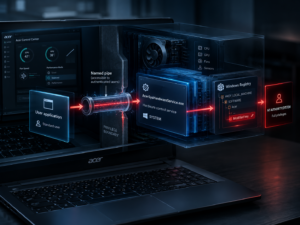
AI Agents X Digital Forensics
As Artificial Intelligence evolves from passive tools to autonomous agents capable of independent action, a new digital forensics subject has emerged: the forensic analysis of AI tooling on a given system.
This article is the second chapter in an exclusive series dedicated to our latest research in identifying and exploiting the artifacts left behind by these programs.
As AI agents navigate operating systems and execute complex tasks, they etch digital signatures into logs, memory, and file structures; our goal is to reveal how investigators can decode these remnants to reconstruct the actions undertaken using such tools in modern forensic investigations.
This second article will be focused on the Codex coding agent.
What is Codex?

Codex is an AI agent developed by OpenAI used to generate code across dozens of languages.
Valuable forensic artifacts
All files related to Codex can be found in C:\Users\ \.codex\.
Codex models list
The models list can be found in C:\Users\ \.codex\models_cache.json
User prompts history
The list of user prompts is stored in the file C:\Users\ \.codex\history.jsonl.
It contains only user messages and not the model response, the fields are:
session_id: the session IDall: the timestamp of the prompttextthe user prompt
Configuration file
The configuration file for Codex can be found in C:\Users\ \.codex\config.toml.
Authentication information
The file C:\Users\ \.codex\auth.json can be interesting in a digital forensics investigation as it contains authentication information such as API keys, access tokens, etc.
Skills-related data
In the folder C:\Users\ \.codex\skills\ built-in skills and installed ones can be found.
Sessions history
The full session history can be found in C:\Users\ \.codex\sessions\ \ \.
In this file we can find user inputs where kind == event_msg and payload.type == user_message. The interesting fields are:
timestamp: the timestamp of the user messagepayload.message: the messagepayload.images: if the user provided images
We can also find agent response where kind == event_msg and payload.type == agent_message. The interesting fields are:
timestamp: the timestamp of the user messagepayload.messagethe agent responsepayload.images: if the user provided images
After each agent response, a summary of token usage is provided where kind == event_msg and payload.type == token_count. The interesting fields are:
timestamppayload.info.total_token_usage.input_tokens: total input tokens consumed for the sessionpayload.info.total_token_usage.cached_input_tokens: total cached input tokens consumed for the sessionpayload.info.total_token_usage.output_tokens: total output tokens consumed for the sessionpayload.info.total_token_usage.reasoning_output_tokens: total reasoning output tokens consumed for the sessionpayload.info.total_token_usage.total_tokens: total tokens consumed for the sessionpayload.info.last_token_usage.input_tokens: total input tokens consumed for the last responsepayload.info.last_token_usage.cached_input_tokens: total cached input tokens consumed for the last responsepayload.info.last_token_usage.output_tokens: total output tokens consumed for the last responsepayload.info.last_token_usage.reasoning_output_tokens: total reasoning output tokens consumed for the last responsepayload.info.last_token_usage.total_tokens: total tokens consumed for the last responsepayload.info.model_context_window: model context window size
About our CERT team
About the CERT Intrinsec This analysis was produced by the CERT Intrinsec — our incident response and digital forensics team. As a PRIS-qualified CERT (member of InterCERT France and the Campus Cyber), we investigate identity compromises like the AiTM scenarios described above every day, from the initial phish to persistent access, and help organizations detect, contain, and remediate them. Wherever you are on that journey, our teams can help: